Monday, June 15, 2026
Download Receipts as a CSV
Share this article:
Download your receipt data as a CSV file from the Receipts page. CSV files can be opened in Excel, Google Sheets, Numbers, and most spreadsheet applications, making it easy to analyze, share, or back up your receipt data.
Download Your Receipts
1. Go to Receipts.
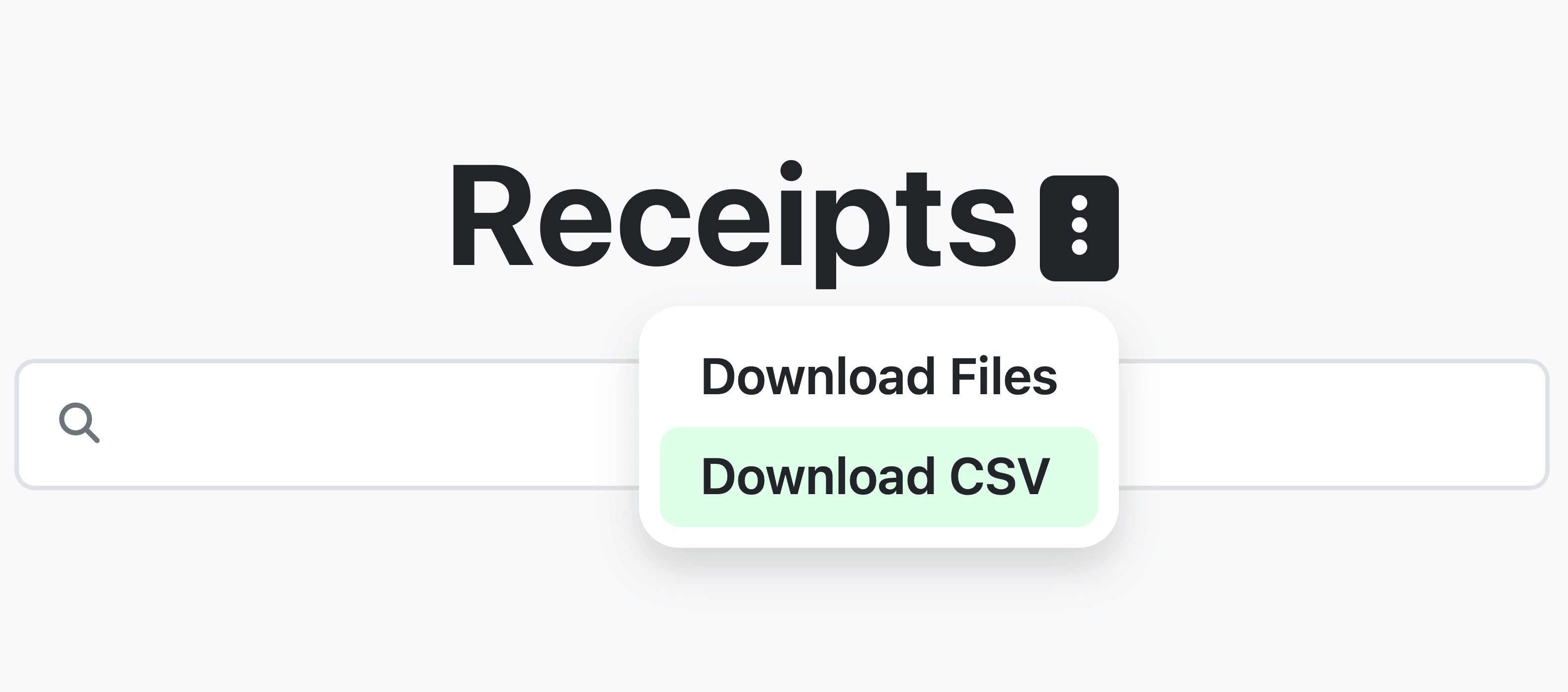
2. Click the three-dot menu next to the Receipts title.
3. Select Download CSV.
4. Choose the fields you want to include.
5. Click Download.
Export Only the Receipts You Need
Before downloading, use filters on the Receipts page to export only the receipts you need.
You can filter by:
- Date range
- Folder
- Search terms
- Member
- Any other available filters
Your CSV will include only the receipts that match your current filters.
Customize Your CSV
After selecting Download CSV, choose exactly which fields to include in your file.
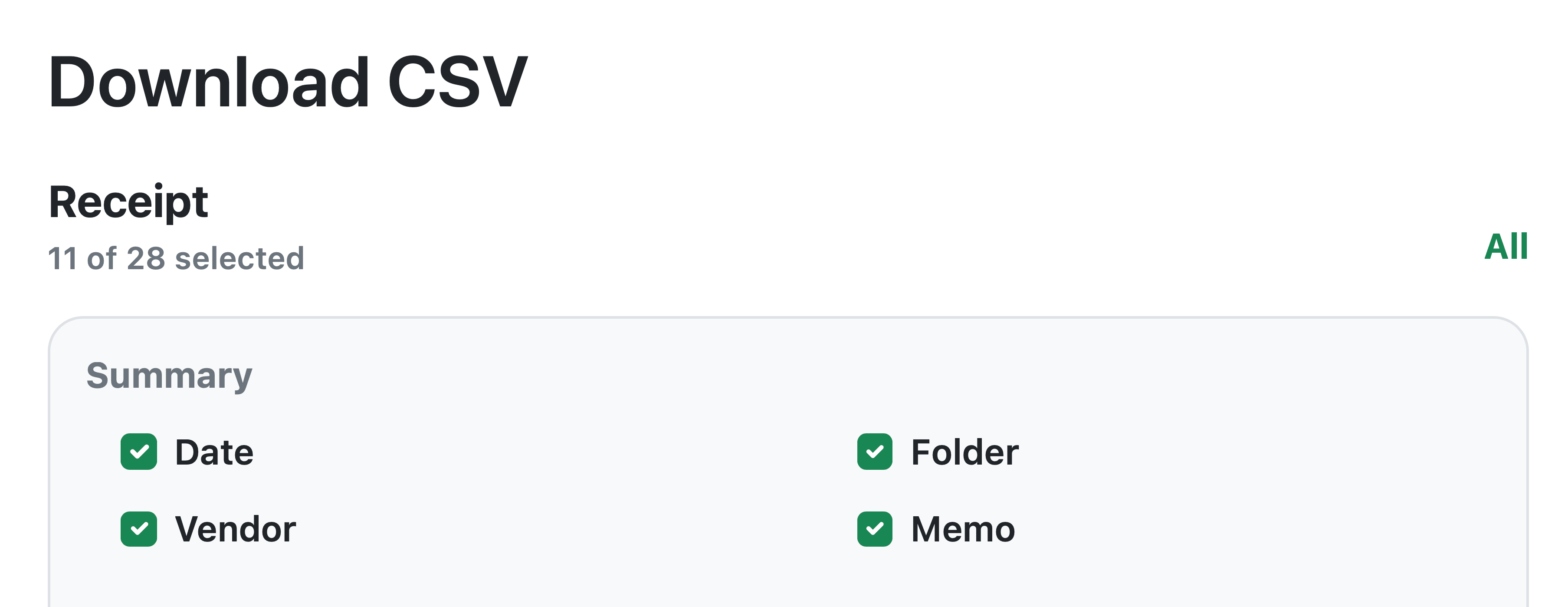
Receipt
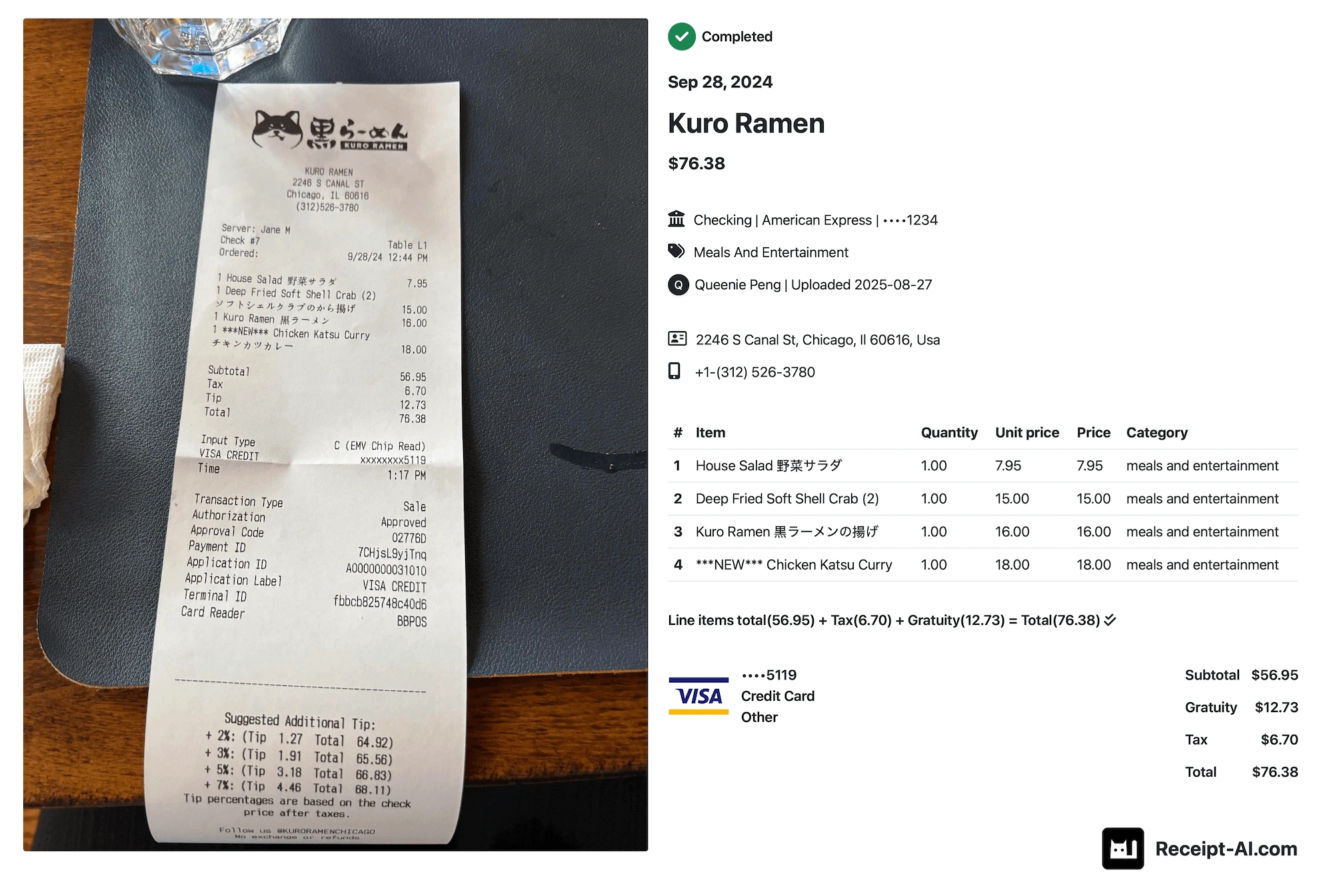
Includes one row per receipt with general receipt information such as:
- Date
- Vendor
- Folder
- Category
- Total
- Payment details
- Member
- Memo
Line item
Includes itemized purchase information such as:
- Date
- Description
- Quantity
- Price
- Category
If you only need one row per receipt, select fields under Receipt and leave Line item unselected.
What You Can Do with a CSV
Download a CSV when you want to:
- Review receipt data in Excel or Google Sheets.
- Share receipt details with an accountant or bookkeeper.
- Create expense or reimbursement reports.
- Sort, filter, or analyze receipt data.
- Keep a backup of your receipt data.
Frequently Asked Questions
Where is the Download CSV option?
Go to Receipts, click the three-dot menu next to the Receipts title, then select Download CSV.
Can I export only receipts from a specific folder or date range?
Yes. Apply filters on the Receipts page before downloading. Your CSV will include only the receipts that match your current filters.
Can I choose which columns are included?
Yes. Select exactly which receipt and line item fields you want before downloading.
Do I need to include line items?
No. Line item fields are optional. Include them only if you need itemized purchase details.
What does All do?
All selects every field in that section.
How do I export my receipts as an Excel spreadsheet?
Download your receipts as a CSV file, then open the file directly in Microsoft Excel. If you want to save it as an Excel file, select File → Save As → Excel Workbook (.xlsx) in Excel.
What can I use to open the CSV?
CSV files can be opened in Excel, Google Sheets, Numbers, and most spreadsheet applications.
download CSV
receipt CSV
export receipts
download receipts
receipt data
spreadsheet
Excel
how to export as an excel spreadsheet
line items
receipt fields
Related Articles


Start uploading Receipts using SMS.
Save 97% of your time with efficient receipt processing
Works with Xero and QuickBooks
Perfect for businesses, big and small
No extra app downloads. Works with tools you already have (SMS, Email and WhatsApp)